설명
Booklover - comic/ebook reader (CBZ/ZIP, CBR/RAR, PDF)
Booklover is a highly responsive ebook reader with rich user interface.
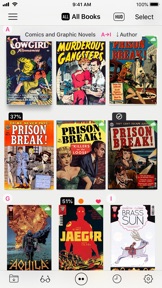
The metadata-driven library management makes it easy to enjoy large number of books.
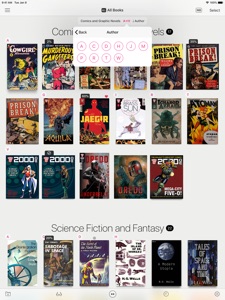
With the Library Navigator, you can instantly find a book even in a library with thousands of books.
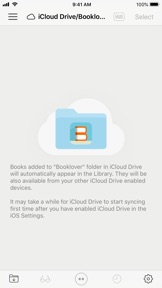
With its powerful iCloud Drive integration, you can download and access your books from your iCloud Drive enabled devices anytime you want.
Supported file formats: PDF, CBZ/ZIP/CBR/RAR with archived images
* Characteristics
1. Powerful metadata-driven book management
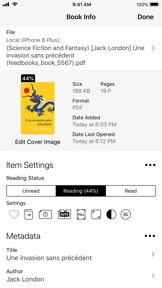
• Set metadata to your books: Title, Author, Genre, Date Published, Publisher, ISBN code, and others
• Auto-extract metadata from filename of books - Extract strings enclosed in brackets as metadata automatically
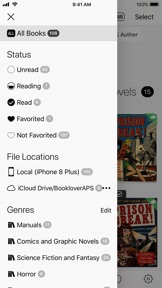
• Search/Sort/filter books flexibly by different criteria
• Add arbitrary Tags to a book for filtering
2. Library for easy and quick access to your books
• Robust iCloud Drive integration for ubiquitous access to your books
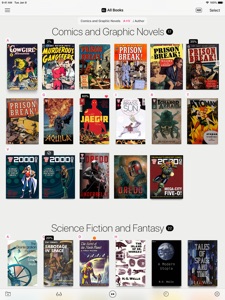
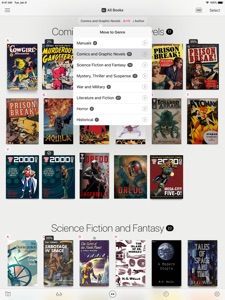
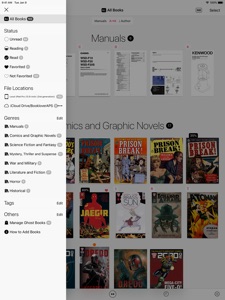
• Section books by genre (ON/OFF)
• The Library Navigator helps you quickly find a book even in a massive library
• Alphabetical index labels to locate a book quickly (ON/OFF)
• HUD overlay to display attributes of books (Grid View, ON/OFF)
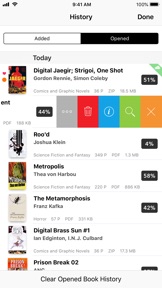
• Quick access to books via History (Added/Opened)
• Auto crop wide-sized book covers
• "Responsive Shadow" - Renders book shadow based on the page count (ON/OFF)
3. Reading View to maximize immersion into the contents
• Book Settings Menu instantly accessible to change various settings of the book (ON/OFF)
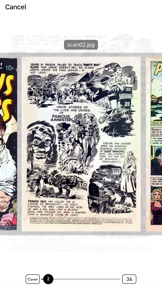
• Skimming mode for fast book navigation, with larger page snapshots
• Quickly close a book by swiping up the screen (ON/OFF)
—————————————
* Main Features
[General]
• View contents of DRM-free ebook (PDF, CBZ/ZIP, CBR/RAR)
• Sync book files automatically among different devices via iCloud Drive
• Add files via iCloud Drive / iTunes / AirDrop / Open-in
• Download files from cloud storage services (Needs an app provided by the cloud storage service providers)
• Copy files from an other app via Drag and Drop (Compatible iPad Only)
• Slide Over / Split View (Compatible iPad Only)
• Support for HEIF(.HEIC) archived books
• Hardware keyboard shortcuts (Reading View)
• Exclude/Include book files from the iTunes/iCloud backup target
[Library]
• Grid/List Views
• History Lists (Added/Opened books)
• Longpress-to-show options for a book (Grid View)
• Section books by Genre (ON/OFF)
• HUD overlay (Grid View, ON/OFF)
• Search / Filter / Sort books
• Manage data and content file for a book separately (Ghost Books)
[Book Management]
• Manage metadata and tags for books
• Auto-extract metadata from PDF file (ON/OFF)
• Auto-extract metadata from filename / Various extraction settings
• Auto/Manual crop book cover
• Reading status / Favorite mark
• Change page progression direction
• Edit filename
• Move files between Local (device) and iCloud Drive
[Reading View]
• Page transition styles: No Animation, Scroll, Stack, Crossfade, Zoomfade
• Double page spread display
• Change page content sizing (Show All/Width-Fit/Height-Fit)
• Trim page margins
• Change background color
• Browse related info about the book/author
• Skimming mode
• Close book by swiping up the screen
• Image Correction Filters (Enhance Contrast, Manual Contrast Adjustment, Greyscale, Invert Colors)
• Support navigation with iCade compatible devices
—————————————
* Acknowledgments
[Books included in the app]
• "Give My Regards to Black Jack" by SHUHO SATO (Manga on Web: http://mangaonweb.com)
[Books used in the screenshots]
• "Give My Regards to Black Jack" by SHUHO SATO (Manga on Web: http://mangaonweb.com)
• Public domain books from Feedbooks (http://www.feedbooks.com)
• Public domain comics from digitalcomicmuseum.com (http://digitalcomicmuseum.com)
• Sample books from 200AD (http://2000ad.com)