정보약관개인 정보연락처
 
업데이트 중
FineReader Pro: PDF Scanner

FineReader Pro: PDF Scanner

출시:2015-01-08
© 2024, ABBYY Development Inc.
FineReader Pro: PDF Scanner - QR코드
버전 16.0.2
4+
App Store에서 다운로드 하기
버전 16.0.2
4+
App Store에서 다운로드 하기
출시:2015-01-08
© 2024, ABBYY Development Inc.

iPhone 스크린샷

스크린샷
스크린샷
스크린샷
스크린샷
스크린샷
스크린샷
스크린샷

iPad 스크린샷

스크린샷
스크린샷
스크린샷
스크린샷
스크린샷
스크린샷
스크린샷
스크린샷

설명

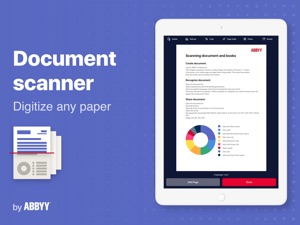
ABBYY FineReader PDF Pro - the first smart AI-powered scanner that turns your mobile device into an all-purpose tool to quickly capture docs and books, create electronic copies in PDF and JPEG, and extract texts from scans for further editing and sharing.
FineReader PDF Pro - the top mobile scanner for iPhone or iPad from ABBYY, a Digital Intelligence company.
*** Ranked #1 Business application in 98 countries ***
*** Winner of SUPERSTAR Award in the "Document Capture" category in the Mobile Star Awards ***
Use FineReader PDF Pro to scan paper documents, books, agreements, receipts, magazine articles, notes, recipes, charts, tables, slides, whiteboards, or even billboards on the street and get perfect digital copies.
KEY FEATURES
• PDF & JPEG. Scan any text and save scans to JPEG images or cross-platform PDF documents.
• OFFLINE OCR. Quickly extract text from scans into TXT format on your device without an internet connection.
• ONLINE OCR. Recognize text (OCR) on scans in 183 languages (including Latin, Cyrillic, Chinese, Japanese, and Korean alphabets) and choose from among 4 output formats.
• SHARE & EXPORT. Send results by email, to FineReader PDF for Windows, save in cloud storages - iCloud Drive, Dropbox, Google Drive, Yandex.Disk, Evernote, OneDrive for Business, and more.
• LIVE TEXT. Make phone calls, send emails, follow the links, and more from scanned docs.
• ABBYY NEURAL NETWORK. The smart gallery will automatically classify documents into 7 types: A4, books, business cards, handwritten, IDs, other docs, and receipts.
• SEARCH TEXT ON PHOTOS. Type the text from a photo into a Search field in the gallery. FineReader PDF Pro will find photos that have this text.
• AR RULER. Define doc size in AR. It will be useful for non-standard documents and further printing them out in proper proportions.
• SIRI SHORTCUTS. Open scans with Siri and set the flow of actions with scans using Shortcuts app.
• ANNOTATE SCANS. Discover a set of easy-to-use tools to modify your PDFs: add your signature or a text box, use a highlighter, write with a pen, or conceal content with the redaction tool.
• 3D TOUCH & SPOTLIGHT SEARCH SUPPORT.
• PASSWORD ON PDF. Add a password for the image-only PDF files while exporting and sending via email.
• MULTIPAGE DOCS. Create, edit, and enhance separate images or large multi-page documents without any additional selection on the viewfinder.
• AUTO-CAPTURE AND FILTERS. Excellent visual quality with auto-capture of page boundaries and advanced image filters, which process scans in color, greyscale, or black-and-white versions.
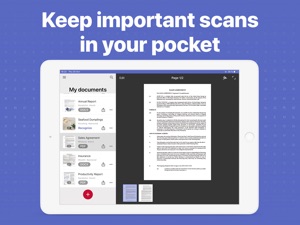
• BUILT-IN FILE STORAGE. Save scans inside the app with tags and search capabilities.
• Transfer docs to your Mac or PC using Home Sharing.
• AIRPRINT. Print out scans directly from your iPhone or iPad.
Read us:
abbyy.com/blog/mobile
Facebook.com/ABBYYsoft
Twitter @ABBYY_Software
YouTube.com/ABBYYvideos
Do you like FineReader PDF Pro? Please leave a review!

16.0.2 버전의 새로운 기능

Fixed an issue with our image picker that prevented users from choosing photos that were not in an album

판매자

이름

ABBYY USA Software House Inc

정보

카테고리

버전

16.0.2

크기

132.4 MB

Game Center

아니요

VPP Device Licensing

선호도

등급:4+

호환성

iOS 15.0 이상

장비

iPhone 5s, iPhone 6, iPhone 6 Plus, iPhone 6s, iPhone 6s Plus, iPhone SE, iPhone 7, iPhone 7 Plus, iPhone 8, iPhone 8 Plus, iPhone X, iPhone XR, iPhone XS, iPhone XS Max, iPhone 11, iPhone 11 Pro, iPhone 11 Pro Max, iPhone SE (2nd generation), iPhone 12, iPhone 12 Pro, iPhone 12 Pro Max, iPhone 12 mini, iPhone 13, iPhone 13 Pro, iPhone 13 Pro Max, iPhone 13 mini, iPhone SE(3세대), iPhone 14, iPhone 14 Plus, iPhone 14 Pro, iPhone 14 Pro Max, iPhone 15, iPhone 15 Plus, iPhone 15 Pro, iPhone 15 Pro Max, iPhone 16, iPhone 16 Plus, iPhone 16 Pro, iPhone 16 Pro Max, iPhone 16e, iPhone 17, iPhone 17 Pro, iPhone 17 Pro Max, iPhone Air, iPad(5세대, Wi-Fi), iPad(5세대, Wi-Fi + Cellular), iPad(6세대, Wi-Fi), iPad(6세대, Wi-Fi + Cellular), iPad Pro, iPad Pro(Cellular), iPad Pro(9.7형), iPad Pro(9.7형, Cellular), 12.9형 iPad Pro (2nd generation), 12.9형 iPad Pro (2nd generation) Wi-Fi + Cellular, 10.5형 iPad Pro, 10.5형 iPad Pro Wi-Fi + Cellular, 11형 iPad Pro, 11형 iPad Pro Wi-Fi + Cellular, 12.9형 iPad Pro (3rd generation), 12.9형 iPad Pro (3rd generation) Wi-Fi + Cellular, iPad Air, iPad Air(Cellular), iPad Air 2, iPad Air 2(Cellular), iPad Air(3세대), iPad Air(3세대, Wi-Fi + Cellular), iPad mini Retina, iPad mini Retina(Cellular), iPad mini 3, iPad mini 3(Cellular), iPad mini 4, iPad mini 4(Cellular), iPad mini(5세대), iPad mini(5세대, Wi-Fi + Cellular), iPad (7세대, Wi-Fi + Cellular), 11형 iPad Pro (2nd generation), 11형 iPad Pro (2nd generation) Wi-Fi + Cellular, 12.9형 iPad Pro (4th generation), 12.9형 iPad Pro (4th generation) Wi-Fi + Cellular, iPad Air(4세대, Wi-Fi), iPad Air(4세대, Wi-Fi + Cellular), iPad (8세대, Wi-Fi), iPad (8세대, Wi-Fi + Cellular), 11형 iPad Pro (3rd generation), 11형 iPad Pro (3rd generation) Wi-Fi + Cellular, 12.9형 iPad Pro (5세대), 12.9형 iPad Pro (5세대) Wi-Fi + Cellular, iPad(9세대), iPad(9세대, Wi-Fi + Cellular), iPad mini(6세대), iPad mini(6세대, Wi-Fi + Cellular), iPad Air(5세대), iPad Air(5세대) Wi-Fi + Cellular, 11형 iPad Pro (4th generation), 11형 iPad Pro (4th generation) Wi-Fi + Cellular, iPad Pro 12.9(6세대), iPad Pro 12.9(6세대) Wi-Fi + Cellular, iPad(10세대), iPad(10세대) Wi-Fi + Cellular, iPad Air 11(M2 모델) Wi-Fi, iPad Air 13(M2 모델) Wi-Fi, iPad Air 13(M2 모델) Wi-Fi + Cellular, iPad Pro 11(M4 모델) Wi-Fi, iPad Pro 11(M4 모델) Wi-Fi + Cellular, iPad Pro 13(M4 모델) Wi-Fi, iPad Pro 13(M4 모델) Wi-Fi + Cellular, iPad mini (A17 Pro) Wi-Fi, iPad mini (A17 Pro) Wi-Fi + Cellular, iPad(A16) Wi-Fi, iPad(A16) Wi-Fi + Cellular, iPad Air 11(M3) Wi-Fi, iPad Air 11(M3) Wi-Fi + Cellular, iPad Air 13(M3) Wi-Fi, iPad Air 13(M3) Wi-Fi + Cellular, iPad Pro 11(M5 모델) Wi-Fi, iPad Pro 11(M5 모델) Wi-Fi + Cellular, iPad Pro 13(M5 모델) Wi-Fi, iPad Pro 13(M5 모델) Wi-Fi + Cellular, iPod touch(6세대), iPod touch(7세대)

언어

한국어, 독일어, 러시아어, 스페인어, 영어, 이탈리아어, 일본어, 중국어, 포르투갈어, 프랑스어

App Store:고객 평가

평가 및 리뷰

4.7/5 (143 개의 평가)

App Store:리뷰

2022-09-25

최고입니다

오늘 하루종일 여러 pdf 설치 분석결과 컴에서도 활용 가능하며
성능 최고임
처음고객
버전 15.4.3
2022-01-06

OCR인식 잘 안됨

돈이 아깝네요.. 환불 되나요
별5은부족함
버전 15.2.8
2021-12-25

paper size

I have pdf files of books with each 2pages shown at once. When I try to recognize these files in this app, this app just split the pages into two pecies automatically. Moreover,some of them get splited and some of them doesn't. So there is no unity and being splited make it hard to read. How can I turn that off? If there is no way I can turn that off, I want to get a refund of this app
귯귯bb
버전 15.2.7
2021-10-30

Very good

Good!
radio3552
버전 15.2.6
2020-10-11

최고입니다

문자인식이 아주 잘 되고 좋은 앱입니다
purabrisa
버전 7.14.1
2020-09-24

환상적입니다

잘 사용하고있습니다
뵤져노오ㅠ누ㅜ누주
버전 7.14
2020-04-30

ocr

If it exceeds 100 megabytes, it does not become ocr.
파란먹
버전 7.7.9
2020-03-27

HELP!

I purchased the app in iPad’s appstore, but on my iPhone’s appstore(ios appstore), I can’t download it. It requests payment again.
As I know, one time payment can download the app on iPad and iPhone.
점점 느리게
버전 7.7.7
2019-12-14

너무 편리하고 유용해요

잘쓰고 있습니다
우구아오ㅡㄴ너ㅠㅈ
버전 7.7.1
2019-10-23

환불해주세요

pdf 에 ocr을 입힐 수가 없네요
실행이 안 되네요..
버전 7.6
2019-08-15

Best app

Good app on scanning. It's best of all.
asiahn
버전 7.1.1
2019-07-10

기존 pdf 파일에서 ocr 추출은 안되는가요?

이미 가지고 있는 pdf 파일에서 ocr 추출작업은 안되나요?
그것 바라고 구매했는데. . . ㅜㅜ
키린님
버전 7.0.2
2019-06-13

최고의 품질과 성능

모바일 스캐너앱으로 더 이상의 설명이 필요없는 앱입니다.
J_Gilbert
버전 7.0.2
2019-05-23

ㅅㅎㅎㅎㅎ
건빵두포대
버전 6.9.10
2019-03-17

좋네요

이번에 세일하길래 샀는데 아주 좋네요 :)
rongjuns
버전 6.9.8
2019-03-03

잘 쓰고 있습니다.

컴퓨터에서도 같은 제품 잘 사용 중. 그래서 별 생각 없이 아이패드에서도 쭈욱 사용 중. 불만 없음.
도돌이
버전 6.8.6
2018-12-13

좋아요

좋습니다
jang-huiyul
버전 6.9.5
2018-11-22

FineScanner PRO SUPERB

FineScanner PRO is the best ever I have used for OCR.
허중
버전 6.9.4
2018-11-09

굿

굿
마냐ㅜ
버전 6.9.4
2018-11-03

좋음

좋음
날씨는 매일 확인
버전 6.9.4
2018-10-09

아누조아요

호호호호호호호호호호호
좌누123
버전 6.9.2
2018-08-30

기능 좋아요

최고앱
Doily log
버전 6.8.6
2018-02-27

사용하기 편리하고 좋네요^^

쉽고 편하고 좋아요. 그런데, scanned image to text로 바뀌는 것이 약간 시간이 걸리는 것 외에는 인식율 good~
Philip, Kim
버전 6.7.7
2017-11-08

좋아요

잘! 쓰고 있네요
samrong57
버전 6.6.8
2017-08-29

한글 인식률 좋습니다

거의 오타가 없네요 잘 쓰겠습니다
심통난 복어
버전 6.4
2017-01-22

문자인식 뿐만 아니라 스캐너 자체의 성능도 기대할 만합니다

사실 문자인식 기능 별로 안 써서 사고나서 약간 후회했습니다. 가격도 가격인지라.. 이 앱 알기 전부터 ABBYY라는 회사의 문자인식 소프트웨어 기술은 매우 뛰어나다고 알고 있어서 일단은 망설임 없이 구매했습니다. 한국어 인식률이 제가 봤을 때는 그래도 90% 정도는 되는 것 같습니다. (물론 사진이 찍히는 환경 조건을 잘 갖춰줬을 때 말입니다) 영어는 두말할 것 없이 탑입니다. 정말 왠만한 경우를 제외하면 영어는 걱정하실 필요 없습니다. 이전에 윈도우로 애비 소프트웨어 돌릴 때는 시간도 많이 잡아먹고 오래 걸렸는데 패드랑 폰이랑 전부 모바일 기기다 보니 멀티태스킹도 무리가 없어서 편합니다. 그렇다고 시간이 짧은 것은 아니지만요....
ocr기능 외에도 스캐너 자체의 선명도도 괜찮습니다. 다른 앱인 scannable, camscanner, scanner pro 도 쓰고 있는데 다른 것들보다 (적어도 흑백으로 설정한다면) 더 선명하게 잘 찍힙니다. 여러모로 사 둬서 다행이라 생각합니다
Yziehl
버전 6.0.5
2016-12-30

기대보단 좀....

비싼 가격이지만 북스캔 기능이 궁금해 구입했는데 책 모서리 인식이 잘 안되어서 결과는 신통치 않네요.
보남이
버전 6.0
2016-11-15

Useful

I always use this app for study
Arrhetos
버전 5.7
2015-07-07

Very good

1.조작이 쉽고 직관적
2.스캔후 일괄처리가 가능해서 1000페이지 이상도 빠르고 편리하게 스캔할수 있다. Scanner pro 6.0미만에서 2~3시간 걸리던 것이 finescanner pro는 1시간안에 끝낼수 있다
3.ocr기능은..한글의 경우 오류가 좀 있어서(100자당10개 내외?) 후 편집이 필요하다.
구르는도올
버전 4.3
2015-04-02

동기화가 안됩니다

동기화가 안되요
jinbluesky
버전 4.2
2015-01-30

굿

아주조아요 잘쓰고있음
머냐넌3;6
버전 4.1.5
2015-01-14

아직 애매함

캠스캐너와 비교했을 때 어느것이 더 좋은지는 모르겠음. 글자인식 성능은 캠스캐너 플러스보다 낫다.
가면대공
버전 4.1.5
2015-01-14

사지마삼

텍스트 변환했는데 반응없음
안좋음 정말 안좋음
버전 4.1.5
2015-01-13

괜춘함~

1.99달러에 사서 그런지 몰라도 OCR만 활용해도 제 값함. 다만 제값에는 절대 주고 못살듯..
단테의 희곡
버전 4.1.5