설명
Download, listen, watch and enjoy your favorite podcasts.
FEATURES
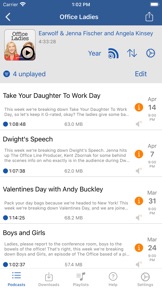
• Subscribe to your favorite podcasts in the app and manage them in the app
• Download episodes over WiFi or Cellular (on devices that have cellular).
• Support for Password Protected feeds
• Background Refresh
• Download in the background
• Sync subscriptions, episode playback positions and playlists between your devices with iCloud
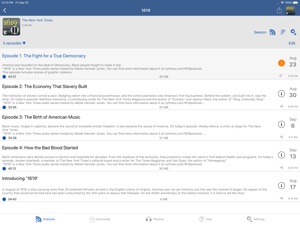
• Universal App (iPhone/iPad)
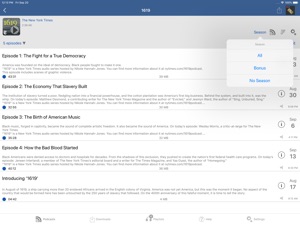
• Search in all views to find that podcast or episode you are looking for
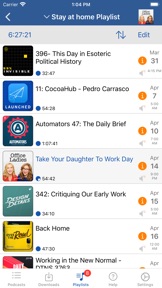
• Custom playlists with filtering options by podcast, episodes and more.
• Support for continuous playback (toggle it on now playing screen just below time elapsed).
• All device orientations supported with configurable option in the settings
• You can unsubscribe to podcasts and still have them on your device. Use that for those less than stellar podcasts!
PLAYBACK
• Variable playback speed
• Playback speed remembered per podcast
• Support for podcasts with chapters and chapter images (MP3 and M4A)
• Use your headset controls including Bluetooth car controls (when paired) to play/pause, jump forward or back 30 seconds
• Sleep timer
• Beautifully rendered show notes
• Onscreen controls for skipping ahead and skipping back
• Gesture Support on the now playing screen (when the podcast logo is showing) to aid in hands free use
• Double-tap to play/pause
• Swipe up to toggle playback speed
• Swipe left/right to rewind/fast-forward
• Home of the L gesture for the 2 minute Leo jump.
• See Settings and Gestures for more and for customizing rewind/fast-forward gestures
• Support for AirPlay, watch or listen to those podcasts on your big screen
• Support for external display of videos for devices that support an external display (get the Apple HDMI adapter)
• Watch or listen to your favorite podcasts with a familiar layout
FIND NEW PODCASTS QUICK
• Find your podcasts by title, keyword or by author
• Browse the top podcasts by category
• Manually add podcasts with a URL
• Support for Password Protected feeds
• Option to download a single episode
• Browse the web in the app to find podcasts to add. Browser will prompt if you tap a link that is podcast feed.
• Import Podcast subscriptions for episodes that are already in your device from iTunes
• Import your OPML file from iTunes or other iOS podcast app
• Import media by using iTunes File Sharing feature
• Add your existing audiobooks (non-password protected ones) using iTunes File Sharing feature
• Add previously downloaded podcasts from your computer using iTunes file sharing feature (see settings and import media for details).
MORE
• Completely customizable to meet your podcasts needs.
• Swipe across a podcast or episode to access additional options
• Podcast settings allow you to set the days the podcast typically comes out or the number of days between.
• Specify the number of episodes to download when new ones are available
• Share the podcast information via email with your friends
CONTACT
Email: tap Help tab and tap Email Support
Twitter: @Joeisanerd
PLEASE NOTE: The app does NOT sync with iTunes. Like other podcast apps it is standalone app meant to subscribe and download on the device.
* If a feed doesn't work, then let me know so I can take a look at it
Requires iOS 13 or higher.
6.7.10 버전의 새로운 기능
if you get ongoing value from iCatcher, then please consider the Tip Jar in the help and settings tab or tell your friends about the app. Thank you
New Stuff
* Additional tab added in CarPlay that shows episodes for your current selection (podcast, playlist or downloaded tab). Makes it quicker to get ot the playable content you were already accessing.
* Added button to the second pane on the apple watch to take action on the currently playing item.
* Added mark as played action to the individual episodes on the apple watch
* Added repeat indefinitely option to the continuous playback options (now playing screen, button below time elapsed).
* Added invert selection within a podcast. Use that to select a few episodes and then invert (select those not selected and deselect the selected).
* When playing video if you have the auto pause video disabled, then showing show notes while playing will no longer pause the video.
* Initial support for Podcasting 2.0 features (iOS 14+). See PodcastIndex.org for more information on Podcasting 2.0. Initial support includes support for the people tag. Now playing screen (new now playing) people icon shows host and guest for that show.
* New Shortcuts added. Go to shortcuts app, add new shortcut and search for icatcher and see the new options (iOS 14+). Includes retrieving list of episodes, playlists, playlist episodes, setting current playback position, retrieve chapters for currently playing including artwork. Use them all to create your useful shortcuts widget on your home screen.
* New download option, deterministic filename. See settings tab, download options for more details.
* Ability to delete multiple episodes from watch. Do this in the settings tab, Apple Watch in iCatcher on the phone.
Bug fixes
* Bug fix for some video playback issues
* Bug fix for web view not allowing you to scroll to the bottom
View the Help tab, What's New to view past updates
Follow me on twitter @joeisanerd