정보약관개인 정보연락처
 
업데이트 중
Koder Code Editor

Koder Code Editor

출시:2018-12-23
© 2018 RemuzLab
Koder Code Editor - QR코드
버전 4.2.1
4+
App Store에서 다운로드 하기
버전 4.2.1
4+
App Store에서 다운로드 하기
출시:2018-12-23
© 2018 RemuzLab

iPhone 스크린샷

스크린샷
스크린샷
스크린샷
스크린샷

iPad 스크린샷

스크린샷
스크린샷
스크린샷
스크린샷
스크린샷

설명

"Koder for iPad: Nerds Rejoice! You Can Code on Your iPad"
-- GIZMODO / App of the day --
"Koder’s simple yet efficient interface is designed for touch editing. At just $5.99, you get an editor with a well-designed interface at a great price. If you want to code with your trusty iPad, then Koder is for you."
-- AppAdvice --
"An accomplished code editor for many programming languages"
-- 148Apps --
"Editing code on your iPad should never be that difficult again"
--KillerStartups--
"The developers at iCodeLabs have done a great job optimizing the iPad’s real estate for code editing"
--theiphoneappreview--
"The app for instant project creation and code editing, perfect for developers and programmers on the go."
--tipsfortablets--
-- Koder was listed on the App Store as a 'Staff Favorites' in 82 countries --
Koder is a code editor for iPad and iPhone. It does have many features including syntax highlighting, snippet manager, tabbed editing, find and replace code, editor theme, remote and local files connections, and many more.
With Koder you can code anytime and anywhere, no matter if you're at your desk or while on the go
Features:
- Syntax Highlighting ( Supports more than 80 languages : actionscript, actionscript3, active4d, ada, ampl, apache, applescript, asm-mips, asm-x86, asp-js, asp-vb, aspdotnet-cs, aspdotnet-vb, awk, batch, c, cobol, coffeescript, coldfusion, cpp, csharp, csound, css, d, dylan, eiffel, erl, eztpl, elixir, fortran, freefem, gedcom, gnuassembler, haskell, header, html, idl, java, javafx, javascript, jsp, latex, less, lilypond, lisp, logtalk, lsl, lua, markdown, matlab, mel, metapost, metaslang, mysql, nemerle, none, nrnhoc, objectivec, objectivecaml, ox, pascal, pdf, perl, php, plist, postscript, powershell, prolog, python, r, rhtml, ruby, sass, scala, sgml, shell, sml, sql, standard, stata, supercollider, tcltk, torquescript, udo, vb, verilog, vhdl, xml )
- Code Autocomplete
- Code Function list
- Access and Manage your Dropbox, (S)FTP, webdav and local files easily
- Built In Terminal (SSH Client)
- Tabbed editing
- Extra Keyboard with Custom Key (Snippet)
- Document Picker Support to open/import/export other app files from/to Koder
- Find and replace code
- Previewer Browser with View Source function
- Editor theme with Custom Theme Editor
- Extra Key / Additional Keys on Virtual Keyboard with open+close brackets keys
- Screen-Lock, Manual and Auto Lock
- Extracting Zip File on Local project
- Sophisticated File Browser
- iOS "Open In" support, from Koder to other app - vice versa
- Change file/folder permission (CHMOD) on FTP/SFTP projects
- Folder Synchronization between Local Project and FTP Project
- Uploading files from desktop from browser or iTunes sharing
- Expandable editing space
- Bluetooth Keyboard Support
- and many more …
- Support multitasking for iPad
- Support editing files from Working Copy using drag and drop
NEWEST
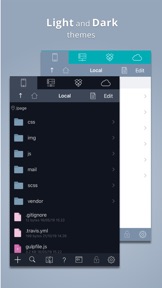
- Support Dark Theme
- Compatibility with iOS 13
BUG REPORT/ PROBLEMS/ IDEAS :
If you have any problems when using Koder, or you have ideas for Koder improvement, please mention us or message us directly at twiter @koderapp

4.2.1 버전의 새로운 기능

- Fixed selection in file list table

판매자

이름

Reny Mustika

정보

개발자

카테고리

버전

4.2.1

크기

36.1 MB

Game Center

아니요

VPP Device Licensing

선호도

등급:4+

호환성

iOS 12.0 이상

장비

iPhone 5s, iPhone 6, iPhone 6 Plus, iPhone 6s, iPhone 6s Plus, iPhone SE, iPhone 7, iPhone 7 Plus, iPhone 8, iPhone 8 Plus, iPhone X, iPhone XR, iPhone XS, iPhone XS Max, iPhone 11, iPhone 11 Pro, iPhone 11 Pro Max, iPhone SE (2nd generation), iPhone 12, iPhone 12 Pro, iPhone 12 Pro Max, iPhone 12 mini, iPad(5세대, Wi-Fi), iPad(5세대, Wi-Fi + Cellular), iPad(6세대, Wi-Fi), iPad(6세대, Wi-Fi + Cellular), iPad Pro, iPad Pro(Cellular), iPad Pro(9.7형), iPad Pro(9.7형, Cellular), 12.9형 iPad Pro (2nd generation), 12.9형 iPad Pro (2nd generation) Wi-Fi + Cellular, 10.5형 iPad Pro, 10.5형 iPad Pro Wi-Fi + Cellular, 11형 iPad Pro, 11형 iPad Pro Wi-Fi + Cellular, 12.9형 iPad Pro (3rd generation), 12.9형 iPad Pro (3rd generation) Wi-Fi + Cellular, iPad Air, iPad Air(Cellular), iPad Air 2, iPad Air 2(Cellular), iPad Air(3세대), iPad Air(3세대, Wi-Fi + Cellular), iPad mini Retina, iPad mini Retina(Cellular), iPad mini 3, iPad mini 3(Cellular), iPad mini 4, iPad mini 4(Cellular), iPad mini(5세대), iPad mini(5세대, Wi-Fi + Cellular), iPad (7세대, Wi-Fi + Cellular), 11형 iPad Pro (2nd generation), 11형 iPad Pro (2nd generation) Wi-Fi + Cellular, 12.9형 iPad Pro (4th generation), 12.9형 iPad Pro (4th generation) Wi-Fi + Cellular, iPad Air(4세대, Wi-Fi), iPad Air(4세대, Wi-Fi + Cellular), iPad (8세대, Wi-Fi), iPad (8세대, Wi-Fi + Cellular), 11형 iPad Pro (3rd generation), 11형 iPad Pro (3rd generation) Wi-Fi + Cellular, 12.9형 iPad Pro (5세대), 12.9형 iPad Pro (5세대) Wi-Fi + Cellular, iPod touch(6세대), iPod touch(7세대)

언어

영어

App Store:고객 평가

평가 및 리뷰

4.5/5 (441 개의 평가)

App Store:리뷰

2021-07-28

굿

디자인 직관적이고 딱 봤을때 오~
달콤바삭 치즈볼
버전 4.2.1
2021-05-28

i cant select ssh rsa key .ppk .pem

i did upload .ppk key to 'FTP Key', but i cant select key in ssh connect menu
what do i do?
TeslaLAB
버전 4.1.1
2021-04-04

훌륭합니다

맥 pc용으로도 출시되면 좋겠어요
nonameeeeeee
버전 4.1.1
2021-03-01

Great!

대단히 만족스럽습니다.
감사합니다.
노력파
버전 4.1.1
2020-09-09

Key setting custom

How can I do for key setting custom ?
i want to Move left, right, up, down
[cursur]
개빡침다우버
버전 4.1.1
2020-09-05

아직 제대로 사용해보지느않았지만 좋은것같아요

쓰다보면 장단점 있겠지만 일단 무료라는게
김가발
버전 4.1.1
2020-08-15

SFTP 키 넣는방법

아이튠즈로 끌어넣는 방법도 있긴 한데, 컴퓨터 없을 땐 파일 앱 켜서 거기서 넣으시면 됩니다. Koder 앱 폴더 안에 FTP Key 폴더에 넣으면 됩니다. 안되서 문의했는데 친절하게 알려주셨습니다.
ryush00
버전 4.1.1
2020-04-09

상단메뉴 버그 있네요.

우측메뉴 상단 메뉴바가 사라지는 버그가 있네요.
저장하려면 다시 FTP 아이콘 찾아서 클릭해야 상단메뉴가 다시 나오네요.
이점 빼고는 아이패드로 급하게 언어 수정하기는 괜찮습니다.
방법 찾았네요. 스마트 키보드에서 command + . 누르면 되네요.
when i edit on the right frame. the menu bar disappear from top. when i want to save the file then i need to click the file on the FTP. then the right menu pop up.
i found a solution how to pop up the menu. press command + . the menu well be poped up.
shane enahs
버전 4.0.4
2020-03-04

EUC-KR 추가해줘요

EUC-KR 추가해줘요
고기루팡
버전 4.0.4
2020-02-13

Please support Swift!!

Please supporlt Swift
!!holymoly!!
버전 4.0.4
2020-02-05

개발코드 메모하는데 편리합니다

폰으로 다양한 언어를 다룰 수 있어서 좋으며
Syntax highlighting 기능도 훌륭함
Python 처럼 엔터를 치면 자동으로 들여쓰기가 있었으면 더 좋겠음...
계속 버전업되길 바람 ~
k21cman
버전 4.0.4
2020-01-14

좋기한데 아쉽네요

/EUC-KR/
인코딩 기능만 있으면 최고
스고오이
버전 4.0.3
2019-08-16

Great app!

I love that it offers a sever for the file transmission!
One question, is there any way I can see console logs on Koder?
이용자 ㅎ
버전 3.8.2
2019-07-28

i want quick access to certain files

favorite files favorite folders etc....
and 'remember the last session' function would be perfect.
otherwise i am satisfied with this app
딜라일라
버전 3.8.2
2019-07-12

Great App!! But I need some update

This is really good and what I wanted!!
But, when I connect to windows freeFTPd sFTP, the file lists in Korean is broken. I want connect sFTP with charset option (encoding “cp949”).
Thanks for you service :)
fafa6678
버전 3.8.2
2019-01-02

I can list of hot key

I use ipad pro 3 and bluetooth keyboard.
What are the hot key?
List Select
Save
etc...
SEUAI
버전 3.8